NorthernClarity SystemsBook a Demo

Product tour

Tour the real Finance AI Workspace.

Full application screenshots show what the product actually looks like from dashboard and monthly close to advisor, evidence, IFRS 18 and report outputs.

Book demo

Workspace modules

Finance AI Workspace connects the public feature pages.

  1. Finance AI WorkspaceThe protected workspace for recurring finance work.
  2. Monthly ReportingClose reporting, commentary, and management-ready packs.
  3. IFRS 18Classification, presentation impact, and governance evidence.
  4. EstimateRolling forecast review and management assumptions.
  5. Management ReportingExecutive summaries, actions, and board-ready outputs.
  6. Consolidation LiteComing soon group reporting workflow.
01

Live product

Dashboard

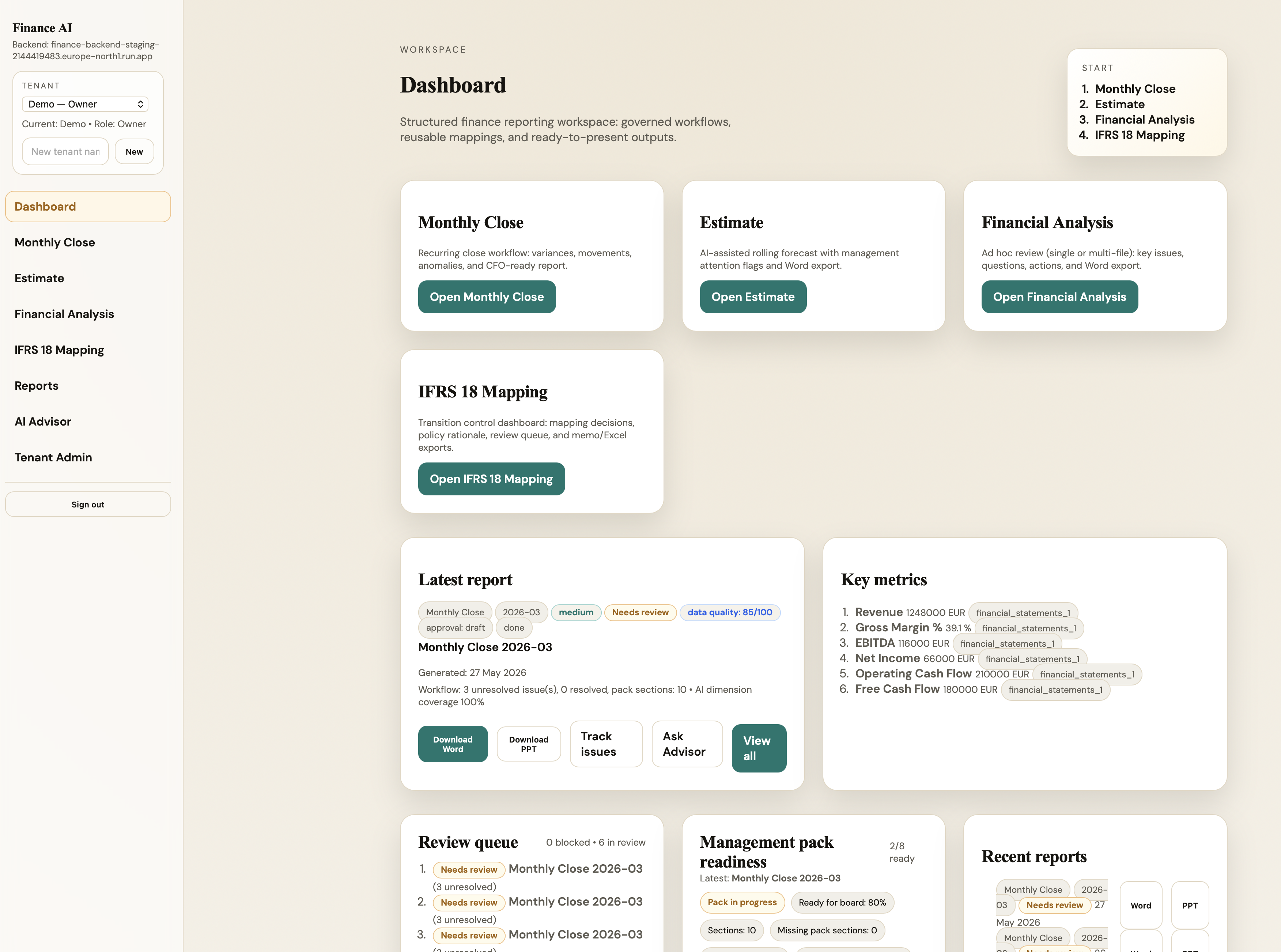
This is the real workspace view: monthly close, estimate, financial analysis, IFRS 18 and reports available from one dashboard.

Full screenshot from the live Finance AI Workspace.

  • Workspace overview
  • Finance workflows
  • Report history
Actual application screenshotFinance AI Workspace dashboard with monthly close, estimate, financial analysis, IFRS 18, and reports
02

Live product

Monthly Close

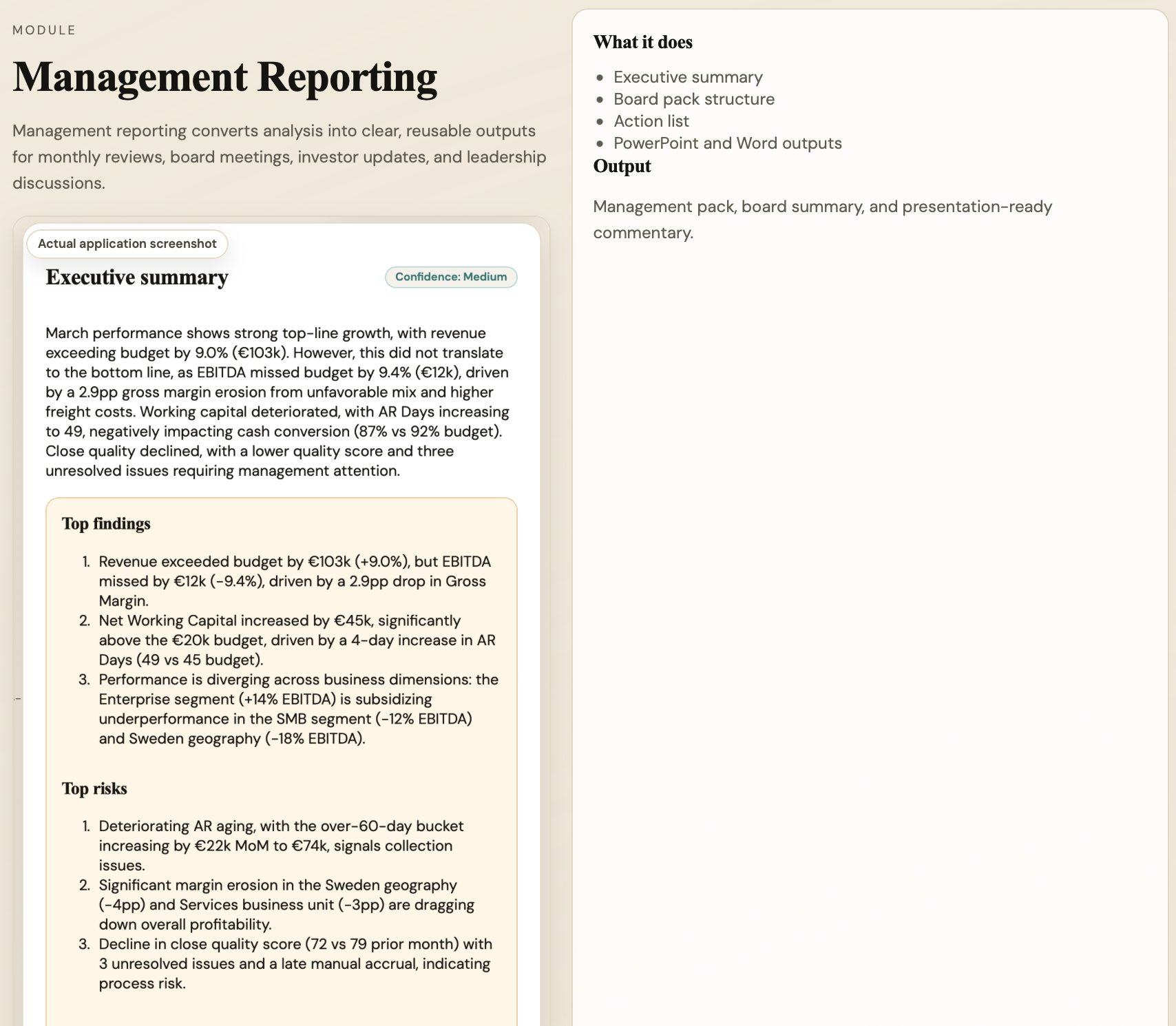
Monthly close becomes a structured review workflow with validation, movement analysis, management questions and controlled outputs.

Full screenshot from the live Finance AI Workspace.

  • Close commentary
  • CFO summary
  • Actions
Actual application screenshotManagement reporting module with executive summary, findings, risks, actions, and output options
03

Live product

Executive Summary

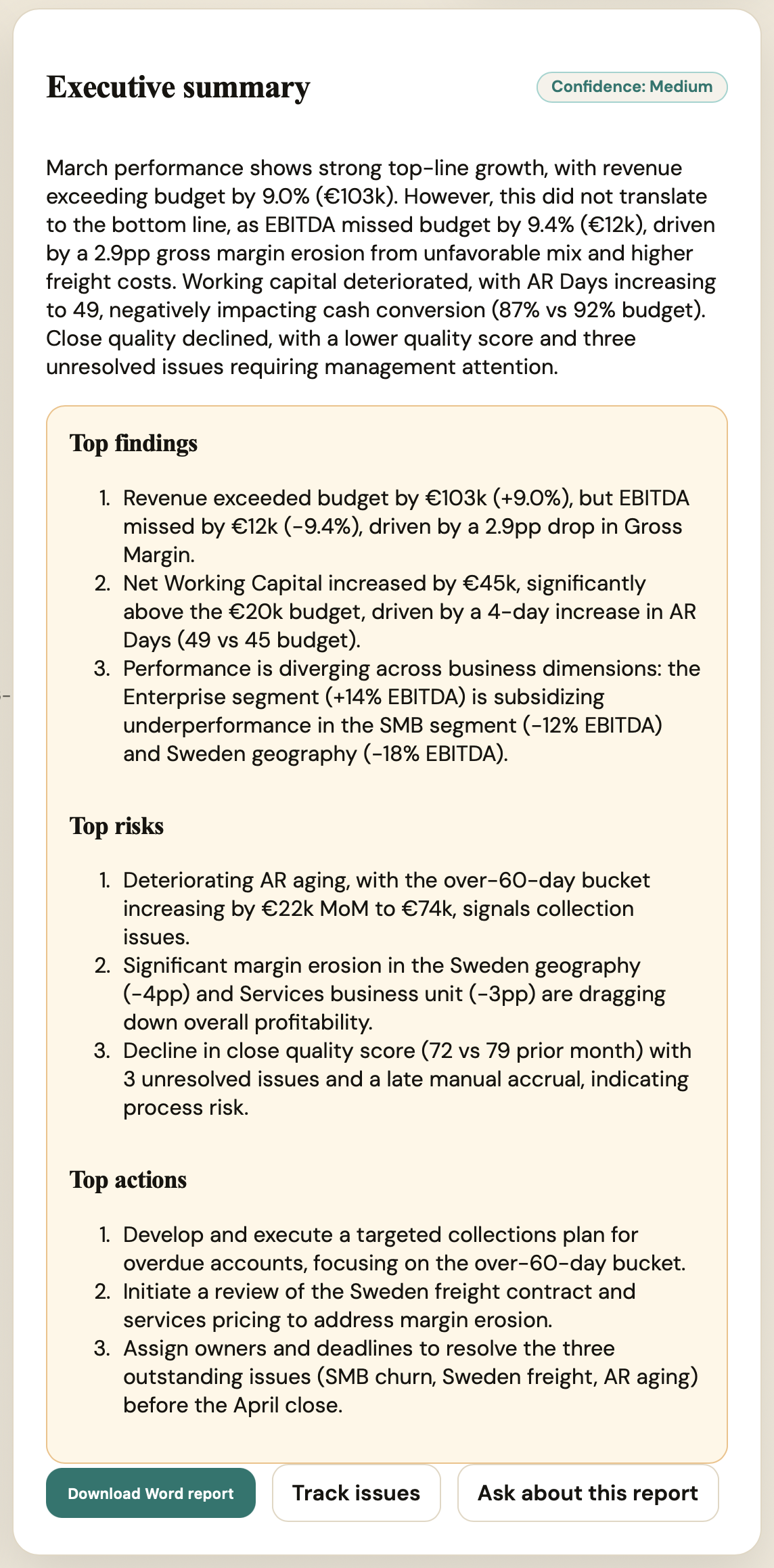
The executive summary turns finance analysis into CFO-ready commentary, confidence signals and clear follow-up actions.

Full screenshot from the live Finance AI Workspace.

  • AI generated
  • Board ready
  • Word export
Actual application screenshotExecutive summary view with CFO-ready commentary and actions
04

Live product

AI Advisor

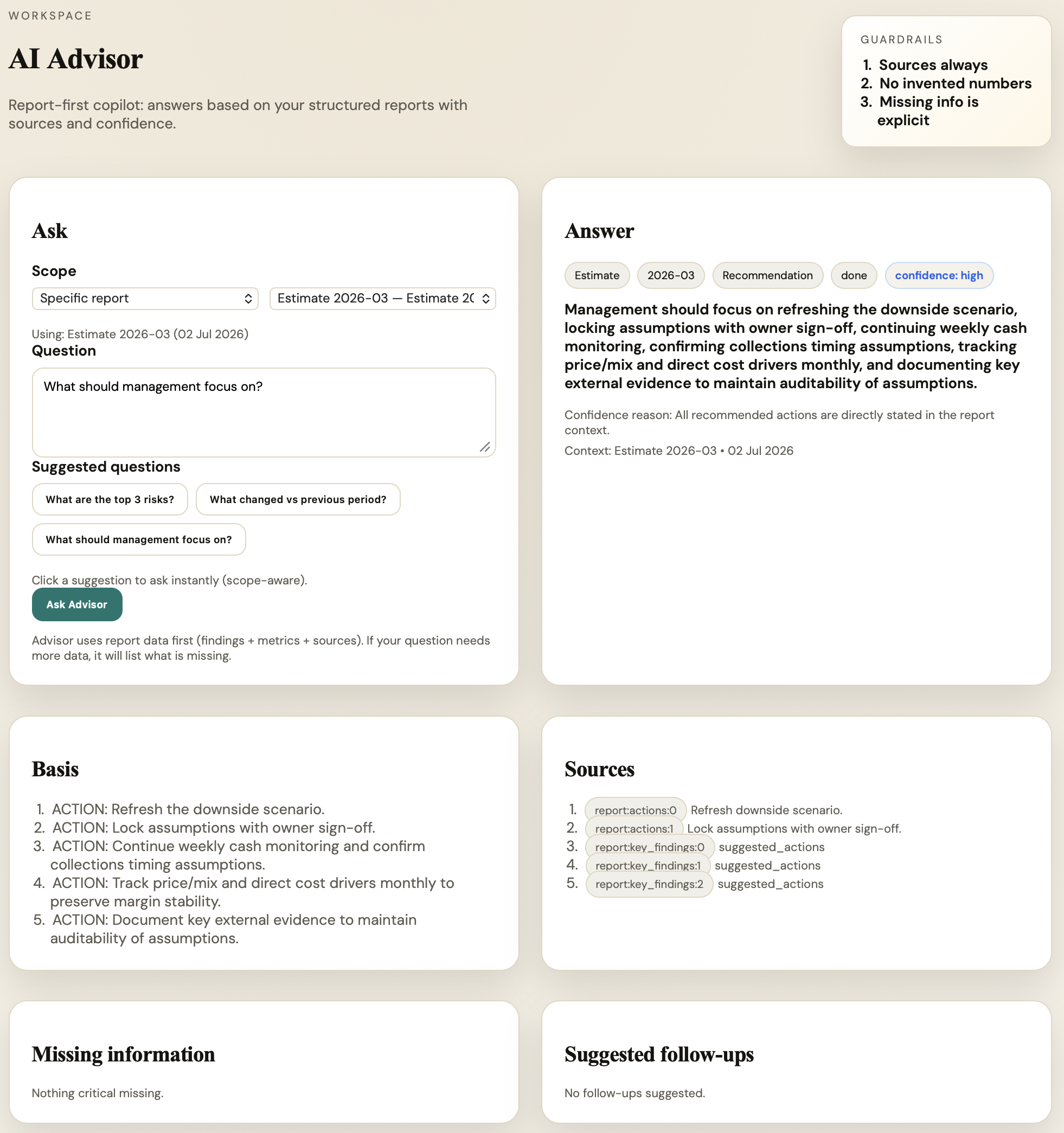
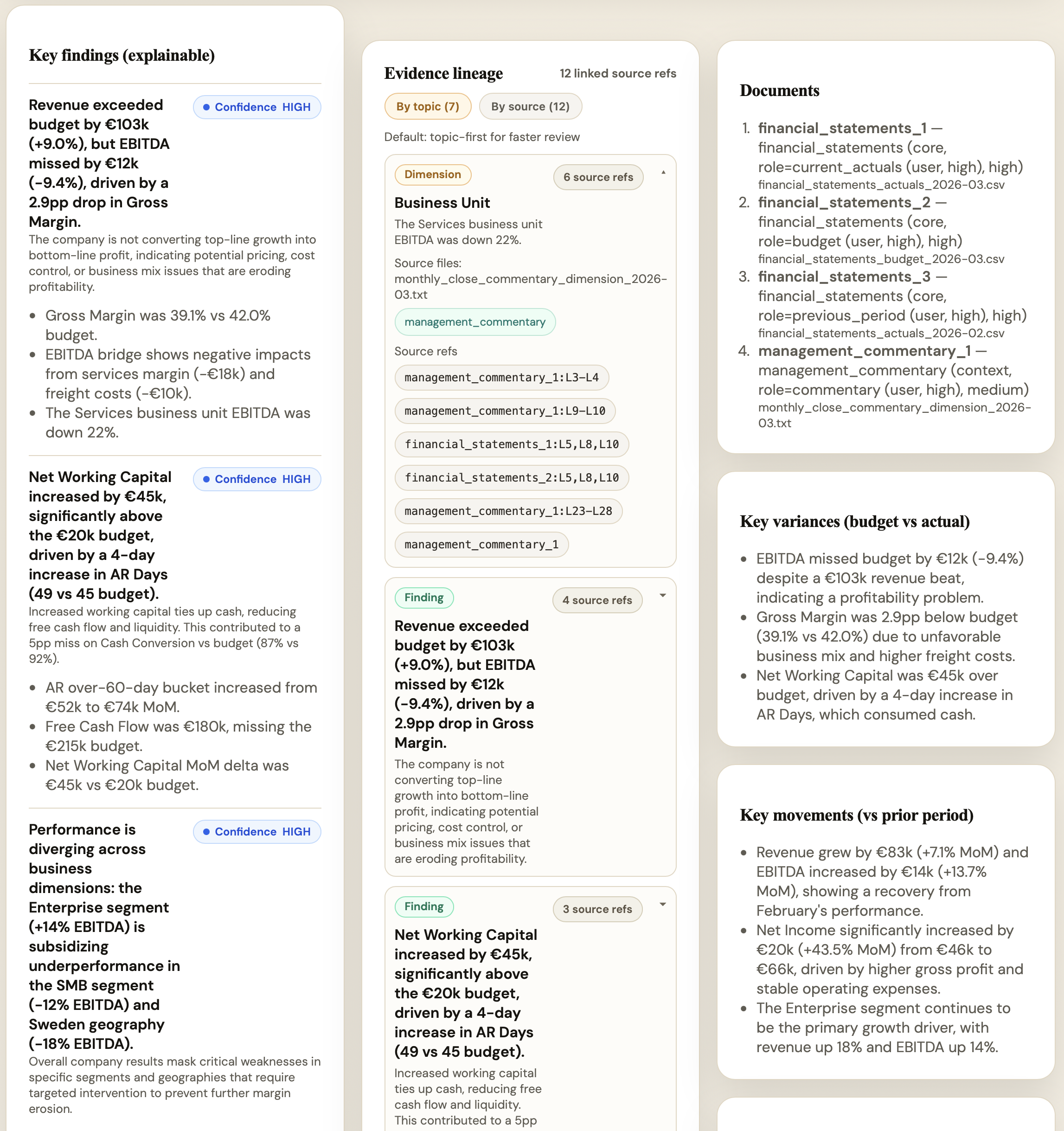
The advisor answers finance questions against the report context while keeping sources, confidence and missing information visible.

Full screenshot from the live Finance AI Workspace.

  • Sources
  • Confidence
  • Missing information
Actual application screenshotAI Advisor with guardrails, sources, confidence, and missing information
05

Live product

Evidence

The evidence view shows the audit trail behind AI-assisted analysis so outputs can be checked before they are shared.

Full screenshot from the live Finance AI Workspace.

  • Traceability
  • Evidence links
  • Review control
Actual application screenshotEvidence audit view showing sources, confidence, and traceability controls
06

Live product

Issue Tracker

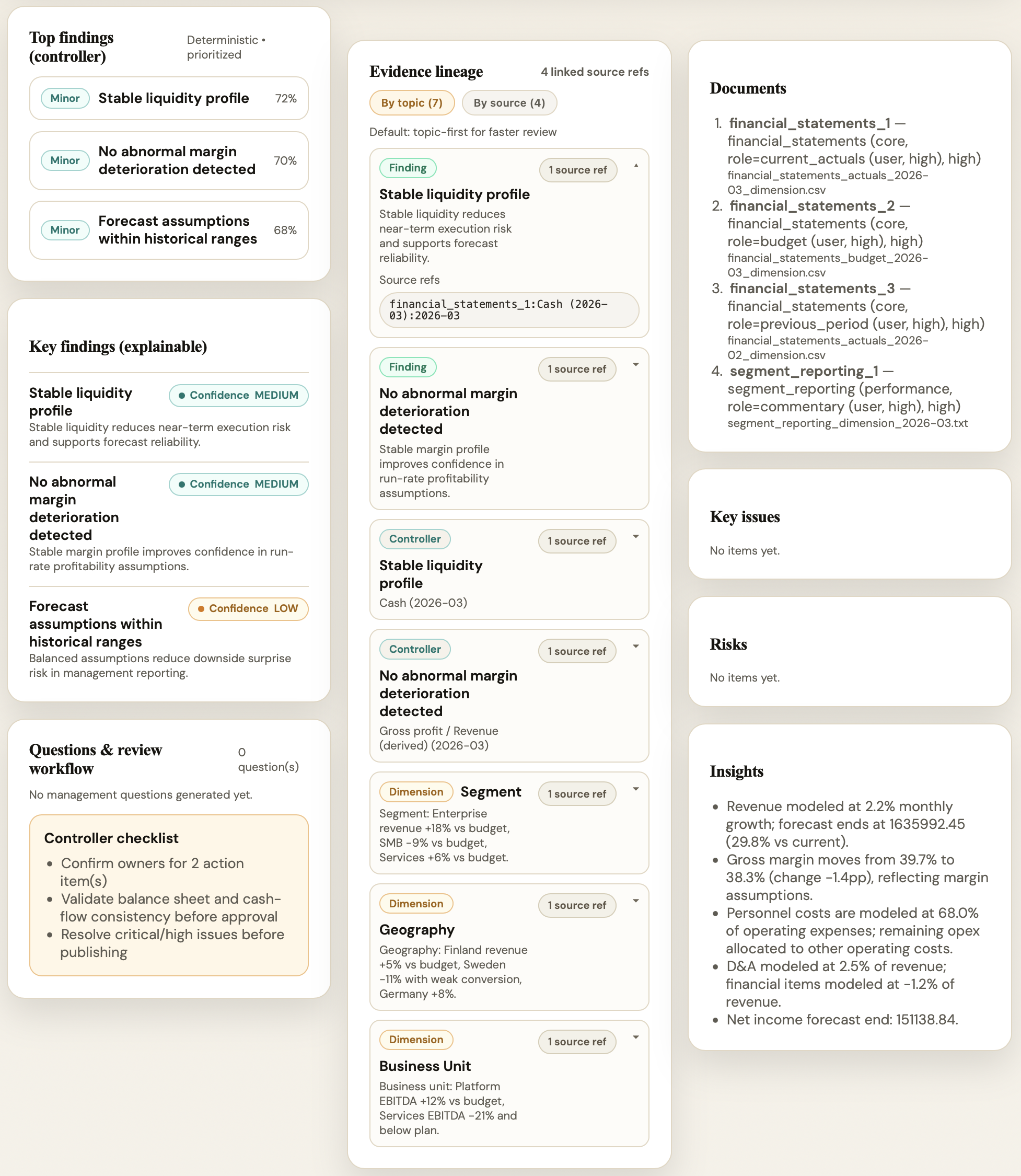
Findings become management questions and recommended actions so finance reviews create accountable follow-up.

Full screenshot from the live Finance AI Workspace.

  • Key findings
  • Materiality
  • Follow-up questions
Actual application screenshotVariance analysis key findings with confidence, evidence, and movement explanations
07

Live product

IFRS 18

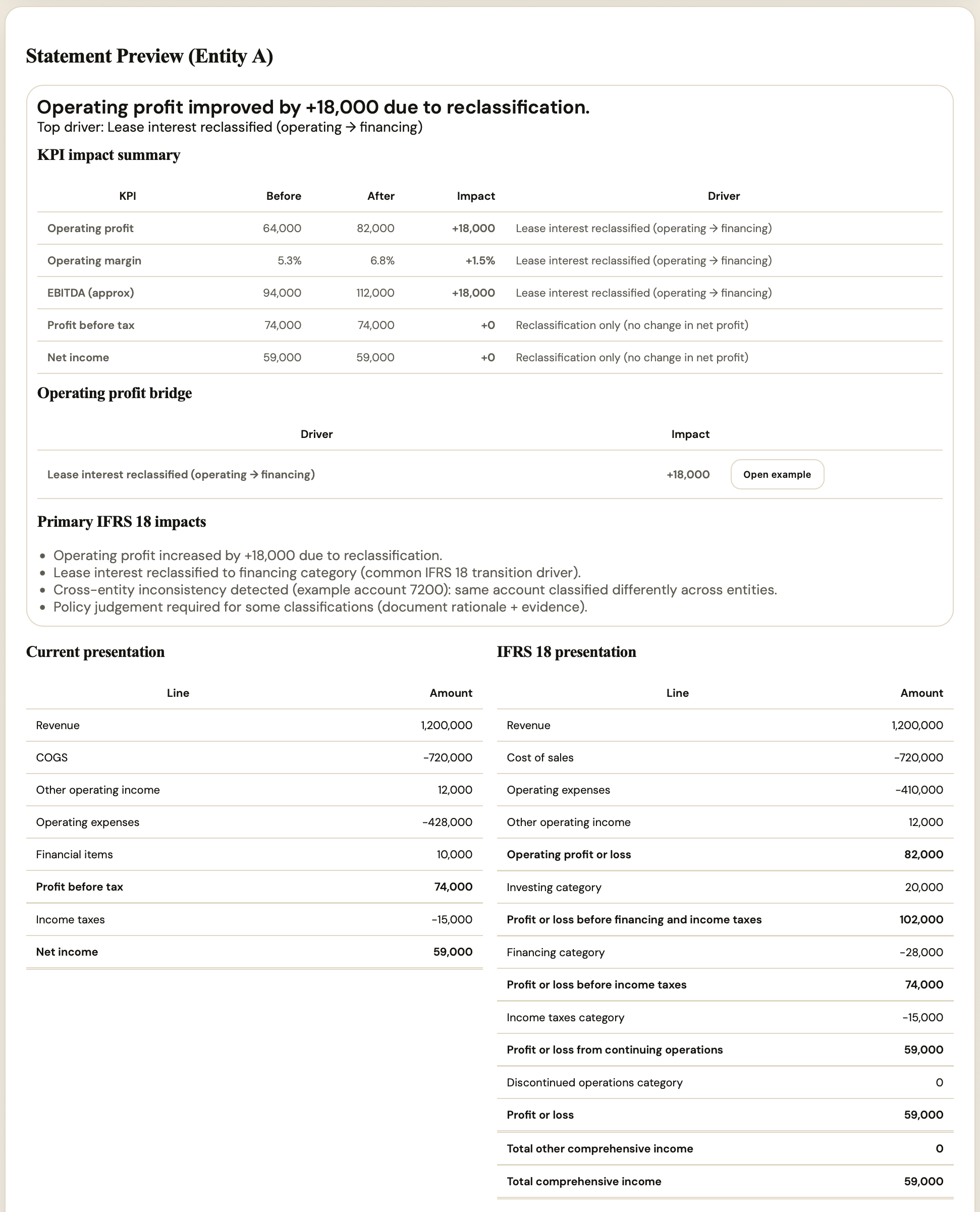
IFRS 18 mapping shows before and after classification, KPI impact and operating profit bridge with governance controls.

Full screenshot from the live Finance AI Workspace.

  • Before / After
  • KPI impact
  • Audit trail
Actual application screenshotIFRS 18 preview with before and after reporting impact
08

Live product

PowerPoint

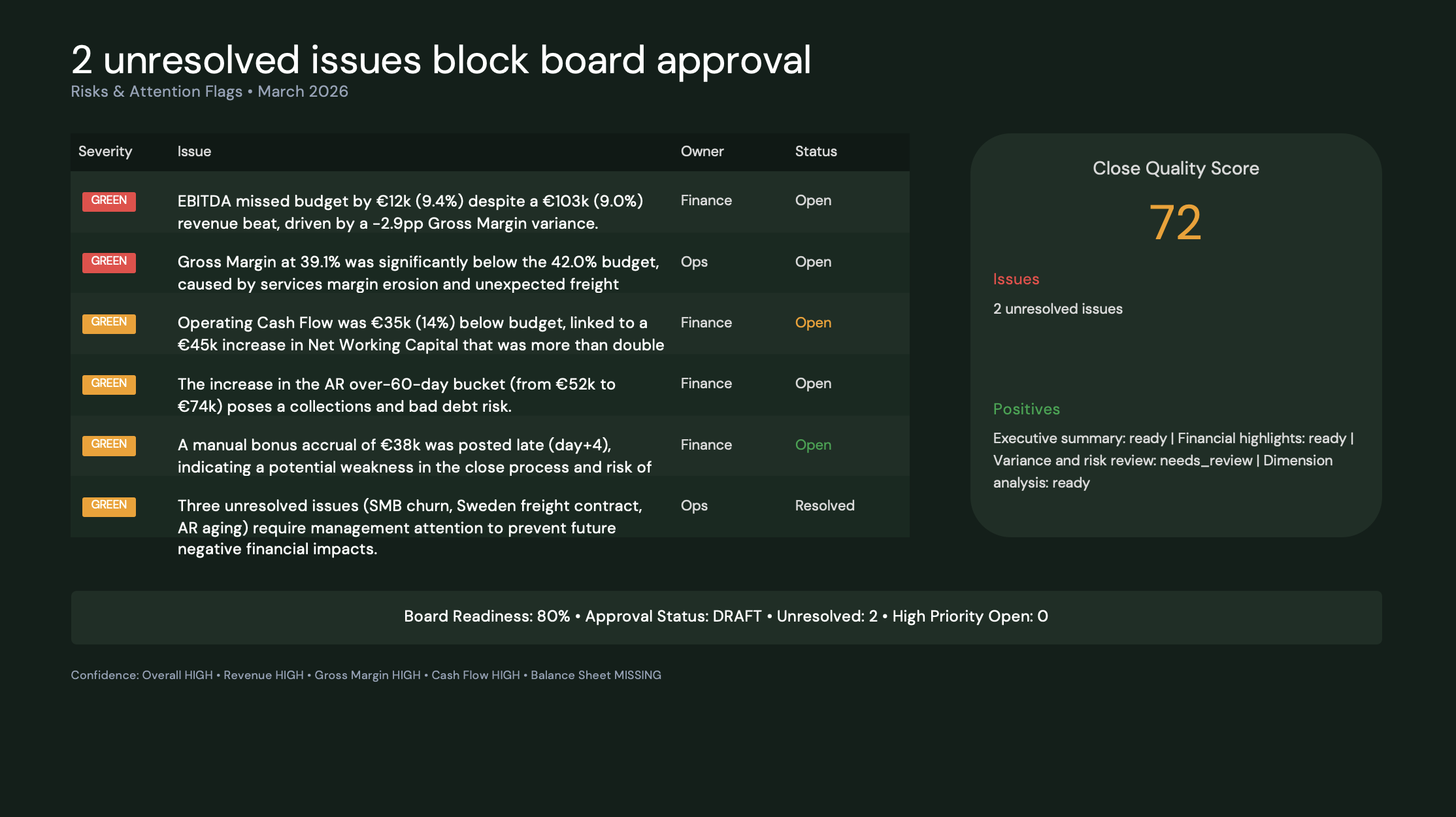
Recommended actions and management commentary can be turned into presentation-ready reporting packs.

Full screenshot from the live Finance AI Workspace.

  • Presentation pack
  • Recommended actions
  • Management review
Actual application screenshotPowerPoint reporting pack example generated from Finance AI Workspace
09

Live product

Word

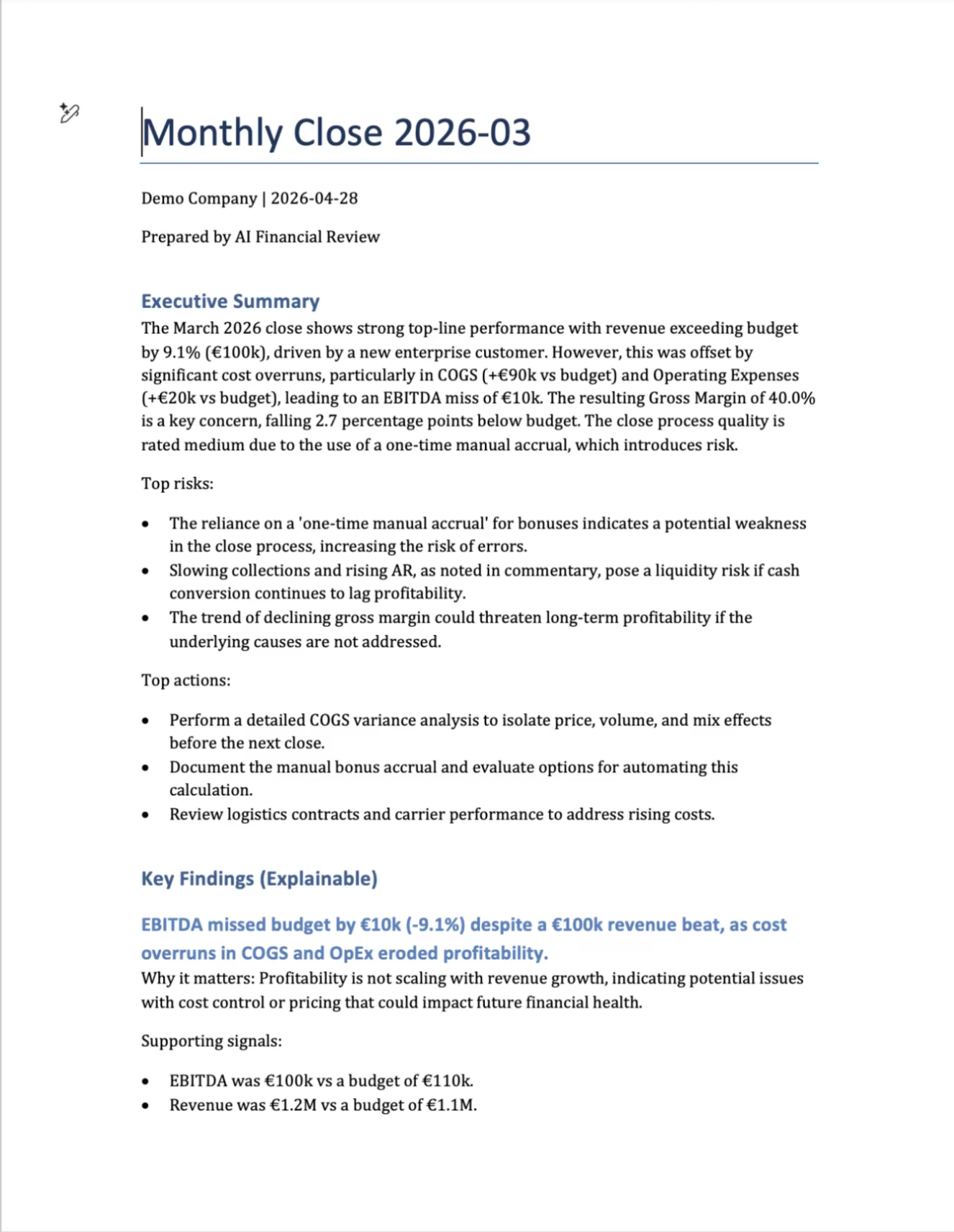
Structured commentary and executive summaries can be exported into reusable monthly reporting documents.

Full screenshot from the live Finance AI Workspace.

  • Structured report
  • Executive summary
  • Reusable output
Actual application screenshotWord report example generated from Finance AI Workspace monthly close output

Before the demo

Send this page to a CFO or controller.

It shows the product journey before a live walkthrough.

Book demo